You’re digging through your phone’s settings looking for a SIM tray, and there isn’t one. Or a friend told you to
“just grab an eSIM” for your next trip, and you nodded along without really knowing what that meant. You’re
far from alone — eSIM technology has quietly become the default on most phones sold in the last few years,
yet almost nobody explains it in plain language.
Here’s the short version: an eSIM, short for embedded SIM, is a digital SIM card built directly into your phone.
Instead of popping in a small plastic chip, you install a mobile plan by scanning a QR code, and you’re online in
minutes.
What an eSIM Actually Is
A traditional SIM card is a small removable chip that stores your carrier’s network profile — the data that tells
a cell tower “this device belongs to this account.” An eSIM does the same job, except the chip is soldered
permanently into your phone at the factory. Rather than swapping a physical card when you change carriers or
travel, you download a new carrier profile onto that same built-in chip.
Put simply: an eSIM is a digital SIM card that lives inside your phone and gets activated with a QR code instead
of a physical card.
How an eSIM Works
When you buy an eSIM plan, the provider sends a QR code or a direct install link, usually by email or inside an
app. Scanning it downloads a small profile onto your phone’s embedded chip — the same kind of carrier data a
physical SIM would carry. Once it’s installed, your phone connects to that network exactly as it would with a
plastic card. Most modern phones can store several eSIM profiles at once and switch between them, or run an
eSIM alongside a physical SIM for two active lines.
eSIM vs. Physical SIM
| eSIM | Physical SIM | |
|---|---|---|
| Swapping phones | Digital transfer, no card handling | Remove and reinsert the card |
| Loss or theft | Can’t be physically pulled out by someone else | Can be popped out and reused |
| Multiple profiles | Several plans stored at once, switch instantly | One card, one plan, unless you swap it |
| Travel setup | Buy and activate before you land, no kiosk required | Usually bought locally on arrival |
Which Phones Support eSIM
Support has expanded quickly over the past several years. As a general guide:
iPhone: iPhone XS and newer support eSIM; iPhone 14 and later sold in the US are eSIM-only.
Samsung Galaxy: S20 series and newer, along with most Z Fold and Z Flip models.
Google Pixel: Pixel 3 and newer.
Coverage keeps growing every year. If you’re unsure about your specific device, a quick search for “[your
phone model] eSIM support” will confirm it in seconds.
Pros and Cons of eSIM
The upside is real: no physical card to lose, instant activation from anywhere with WiFi, the ability to hold
multiple plans at once, and a card that’s much harder to remove if your phone is lost or stolen.
The honest downside: not every carrier or every country supports eSIM yet, switching phones sometimes
means re-downloading your profile from scratch, and older or budget devices may not have the hardware at
all. It’s worth double-checking compatibility before you rely on an eSIM for an upcoming trip.
How to Set Up an eSIM in Under 5 Minutes
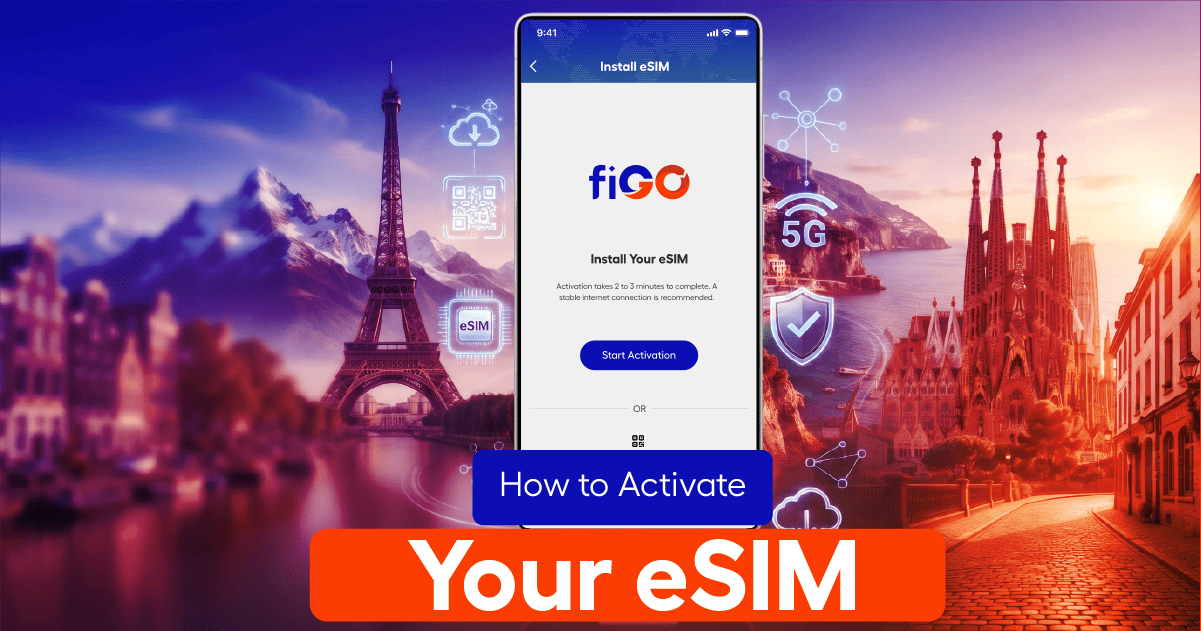
1. Buy an eSIM plan and receive your QR code by email or in-app.
2. On your phone, go to Settings → Cellular/Mobile Data → Add eSIM (the exact wording varies by device).
3. Scan the QR code, or tap the install link if you received one.
4. Label the new line (for example, “Travel”) and set it as your data line.
5. Turn on data roaming for that eSIM line once you land, and you’re connected.
Frequently Asked Questions
Can I have two eSIMs?
Yes. Most modern phones can store several eSIM profiles and switch between them, though usually only one or two can be active for data at the same time.
Does eSIM work without WiFi?
You need an internet connection — WiFi or existing cellular data — to install the profile the first time. Once it’s installed, it works over the cellular network just like a physical SIM.
Can I switch phones and keep my eSIM?
Usually, yes, though you’ll need to re-download the profile onto your new device. Most providers can resend the QR code if you need it again. Now that you know what an eSIM actually is, the easiest way to see it in action is to get one before your next trip and be connected the moment you land.