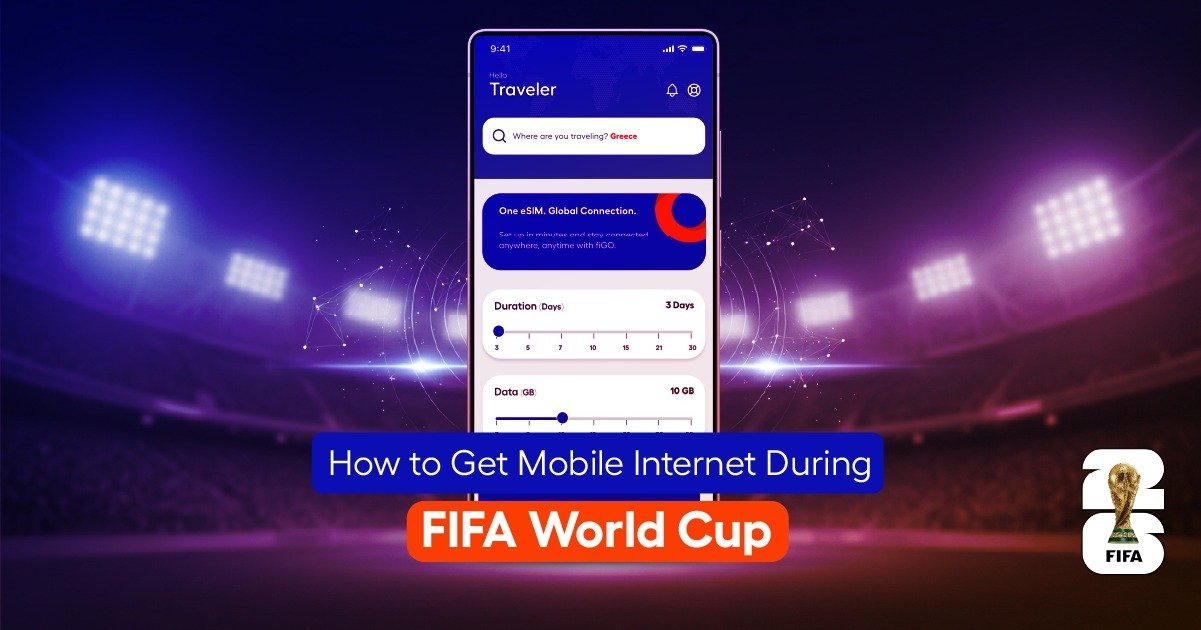
Traveling to the FIFA World Cup will be an unforgettable experience for football fans around the world. With matches taking place across USA, Canada, and Mexico, millions of visitors will travel between cities, stadiums, hotels, and tourist attractions. During such a large international event, staying connected to reliable mobile internet is essential.
Whether you need directions to a stadium, want to check match schedules, or plan transportation between cities, having access to fast and stable internet makes your travel easier and safer. Many visitors struggle with roaming charges or long queues at airport SIM counters. Understanding the best way to get mobile internet before arriving can save time, money, and stress.
In this guide, we explain how to get mobile internet during FIFA World Cup , compare available options, and help you choose the best solution for your travel needs.
Why Mobile Internet Is Essential During FIFA World Cup Travel
Attending the World Cup involves constant movement between locations, making mobile internet a necessity rather than a convenience.
Visitors commonly use mobile internet for:
- Navigating to stadiums
- Checking match schedules
- Booking rides and transport
- Communicating with friends
- Sharing photos and videos
- Finding restaurants and attractions
- Accessing digital tickets
Without reliable connectivity, navigating unfamiliar cities during peak event traffic can become difficult.
Main Ways to Get Mobile Internet During FIFA World Cup 2026
There are four main ways to access mobile internet during the tournament. Each option offers different advantages depending on your travel plans.
Option 1: Use an eSIM Before Traveling (Most Convenient Option)
eSIM technology is becoming one of the most popular internet solutions for international travelers attending major events.
An eSIM is a digital SIM card that allows you to activate mobile data without inserting a physical SIM card.
Benefits of Using eSIM During FIFA World Cup
Many fans prefer eSIM because it offers:
- Instant activation before departure
- No waiting lines at airports
- Easy installation using QR code
- Reliable connectivity across multiple countries
- Flexible short-term data plans
For visitors traveling across USA, Canada, and Mexico, eSIM allows smooth connectivity without switching SIM cards.
How to Activate eSIM Before FIFA Travel
Setting up eSIM is simple and takes only a few minutes.
Step-by-Step Process:
- Purchase eSIM online
- Receive QR code via email
- Open device settings
- Scan QR code
- Install eSIM profile
- Activate mobile data after arrival
This ensures you are connected immediately upon landing.
Option 2: Buy Local SIM Cards at Airports
Many travelers purchase SIM cards at airport telecom counters after arrival.
SIM cards are widely available at major airports in World Cup host cities.
Advantages of Airport SIM Cards
Local SIM cards provide:
- Reliable local network access
- Prepaid data plans
- Local phone numbers
- In-person support
They are a familiar option for many travelers.
Challenges of Airport SIM Cards
During major events like the World Cup, airport SIM counters become extremely busy.
Common challenges include:
- Long waiting lines
- Activation delays
- Limited staff availability
- Manual registration requirements
These delays can reduce travel convenience.
Option 3: Use International Roaming
International roaming allows you to use your existing home-country SIM card abroad.
Advantages of Roaming
Roaming offers:
- Instant connectivity
- No SIM replacement
- Simple setup
This option is convenient but often costly.
Disadvantages of Roaming
Roaming typically results in:
- Expensive data costs
- Limited data allowances
- Unexpected charges
For extended travel, roaming is usually not the most economical choice.
Option 4: Use Portable WiFi Devices (Pocket WiFi)
Portable WiFi devices provide mobile internet access through a shared hotspot.
These devices are useful for families or groups traveling together.
Advantages of Portable WiFi
Pocket WiFi allows:
- Multiple device connections
- Shared internet access
- Stable connectivity
Useful for group travel scenarios.
Disadvantages of Portable WiFi
Potential drawbacks include:
- Extra device to carry
- Battery charging requirements
- Rental fees
- Risk of device loss
For individual travelers, this may be less convenient than eSIM.
Comparing Mobile Internet Options for FIFA Travel
Here is a simple comparison of available options.
| Option | Convenience | Cost | Setup Speed | Best For |
| eSIM | Very High | Moderate | Fast | Most travelers |
| Local SIM | Moderate | Moderate | Slow | Traditional users |
| Roaming | High | Expensive | Instant | Short trips |
| Pocket WiFi | Moderate | Moderate | Moderate | Families/groups |
For most visitors, eSIM offers the best balance between convenience and reliability.
Where Internet Is Most Needed During FIFA World Cup
Reliable internet is required in multiple travel environments.
Internet Use Inside Stadiums
Stadium environments require mobile internet for:
- Digital ticket scanning
- Match updates
- Finding entrances
- Communicating with friends
- Sharing live experiences
Connectivity improves the match-day experience.
Internet Use During City Travel
Fans frequently travel across city areas.
Common uses include:
- Booking rides
- Finding directions
- Checking restaurant locations
- Navigating public transport
Mobile internet simplifies daily travel.
Internet Use Between Cities and Countries
World Cup visitors often travel between host cities.
For example:
- USA to Canada travel
- Canada to Mexico flights
- Multi-city stadium visits
Reliable connectivity supports smooth travel planning.
Tips to Stay Connected During FIFA World Cup Travel
Maintaining reliable connectivity requires preparation.
Helpful tips include:
Download Offline Maps
Offline maps help reduce mobile data usage and improve navigation reliability.
Download maps for:
- Stadium areas
- Hotels
- City transport routes
Carry Backup Power
Heavy phone usage drains battery quickly.
Carry:
- Power banks
- Charging cables
- Backup chargers
Reliable battery power supports consistent connectivity.
Monitor Data Usage
Tracking usage helps prevent running out of data.
Most devices allow:
- Daily usage monitoring
- Alerts and notifications
- Usage limits
Monitoring helps maintain reliable service.
How Much Data Do FIFA Travelers Need?
Data requirements depend on usage habits.
Typical recommendations:
- Light users: 5GB–8GB
- Moderate users: 10GB–15GB
- Heavy users: 20GB–30GB
Most visitors require moderate data plans.
Common Mistakes Travelers Make With Mobile Internet
Avoid these common mistakes:
- Waiting until arrival to activate internet
- Choosing insufficient data
- Ignoring device compatibility
- Relying only on public WiFi
- Using expensive roaming plans
Proper planning helps avoid these issues.
Frequently Asked Questions About Mobile Internet During FIFA World Cup
What Is the Best Way to Get Mobile Internet During FIFA World Cup?
Most travelers prefer eSIM because it allows fast activation and flexible data options.
Can I Activate Internet Before Traveling?
Yes. eSIM allows installation before departure.
Is WiFi Available at Stadiums?
Some stadiums provide WiFi, but mobile data remains more reliable.
Can One Internet Plan Work Across Multiple Countries?
Yes. Many travel eSIM plans support multi-country coverage.
Should I Buy Internet Before Arrival?
Yes. Preparing before arrival saves time and prevents delays.
Final Thoughts: Choosing the Best Mobile Internet for FIFA World Cup 2026
Reliable mobile internet is one of the most important travel tools during the FIFA World Cup. From stadium navigation to cross-country travel, staying connected ensures smooth and stress-free movement.
Choosing the right mobile internet option before departure allows travelers to:
- Avoid airport delays
- Reduce roaming costs
- Stay connected across cities
- Navigate unfamiliar areas
- Enjoy match-day experiences
With proper preparation and the right internet setup, fans can fully enjoy the excitement of the FIFA World Cup 2026 without worrying about connectivity problems.